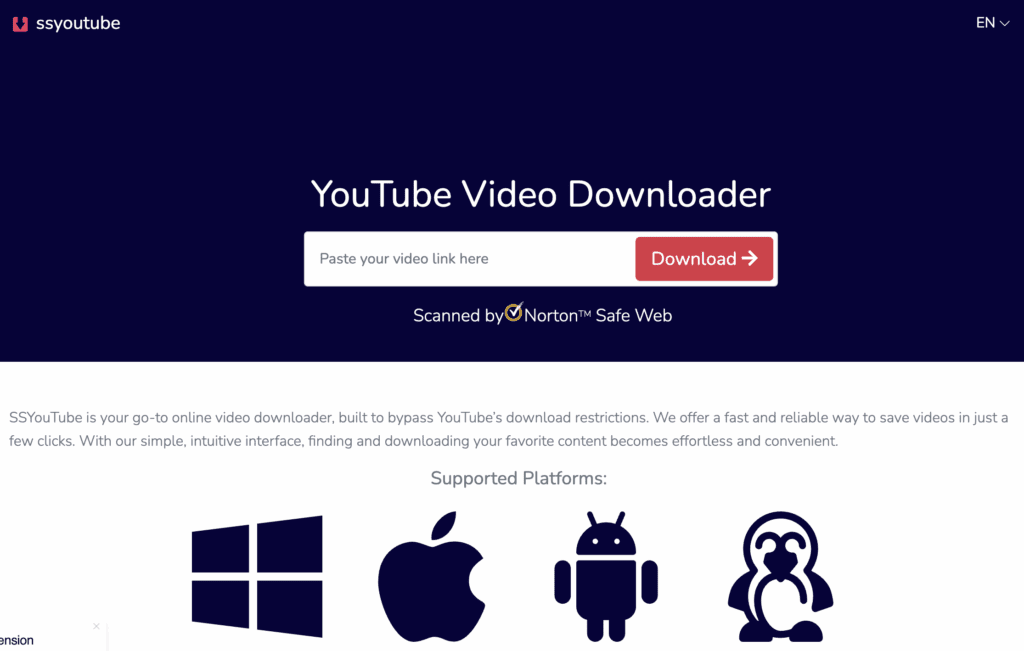

Video has become one of the most popular forms of digital content. From educational lessons and tutorials to interviews, entertainment, presentations, and social media clips, people rely on online videos for information and enjoyment every day. However, internet access is not always reliable, and users may sometimes want to keep permitted content available for offline viewing. This is where online video download tools can provide a convenient solution when they are used responsibly and within the rights and rules that apply to the content.
An online video download service can help users save videos that are legally available for downloading or that they have permission to store. Instead of repeatedly streaming the same content, users can keep an appropriate copy for later use. Understanding how to use these tools intelligently can improve convenience while also supporting good digital habits.
Choose the Right Video for Downloading
The first smart step is deciding whether a video actually needs to be downloaded. Not every video needs to be stored locally. If you have a stable internet connection and only plan to watch something once, streaming may be the simplest choice.
Downloading can be more useful when you know you will need the video repeatedly, expect limited connectivity, or want to watch permitted content while traveling. Educational videos, training materials, public-domain media, and your own uploaded content can be practical examples.
Before using an online video download tool, check the platform’s rules and the video’s licensing terms. Some websites provide an official download option, while others restrict saving content outside their platform.
Check Copyright and Permission
One of the most important considerations when downloading online videos is copyright. A video being publicly accessible does not automatically mean that anyone has permission to copy or redistribute it.
Responsible downloading means respecting the creator’s rights and the platform’s terms of service. Download videos only when you have permission, when the content is explicitly offered for downloading, or when applicable law clearly allows the intended use.
Downloaded material should generally be treated as personal or authorized content rather than something that can automatically be uploaded elsewhere. This approach helps creators maintain control over their work and reduces the risk of copyright-related problems.
Select Suitable Video Quality
Many online video download tools provide multiple quality options. Depending on the source, users may encounter choices such as standard definition, high definition, or higher-resolution formats.
Choosing the highest available quality is not always the smartest option. High-resolution videos can consume considerably more storage and may take longer to download. If the video will be viewed on a smartphone, a moderate resolution may provide an excellent balance between clarity and file size.
For presentations or detailed instructional content, higher quality may be worthwhile because small text and visual elements need to remain readable. Consider the intended viewing device before selecting a format.
Think About Storage Space
Video files can quickly consume storage space. A collection of high-resolution videos can fill a phone, tablet, computer, or external drive faster than expected.
Before downloading several files, check available storage. Organize videos into clearly named folders and remove files that are no longer needed. If you regularly work with large video collections, an external storage device or another appropriate storage solution may help.
Good organization also makes it easier to locate specific videos later instead of searching through hundreds of randomly named files.
Use Reliable Download Tools
Not all online video download tools offer the same experience. Some websites may contain excessive advertisements, misleading buttons, suspicious redirects, or unwanted software. Choosing a reputable service is therefore an important part of safe downloading.
Avoid tools that ask you to install unfamiliar applications, browser extensions, or executable files simply to download an ordinary video. Be cautious when a website requests unnecessary personal information or displays aggressive pop-ups.
A trustworthy online video download option should provide a clear interface, understandable download controls, and transparent information about supported formats and limitations.
Avoid Suspicious Files and Links
Security should always be considered when downloading anything from the internet. A video file should normally have an expected media format, while an unexpected executable file should raise concerns.
Do not open unknown files simply because they appear alongside a video download. Keep your operating system, browser, and security software updated, and avoid clicking advertisements that imitate download buttons.
Using a secure connection and familiar websites can also reduce unnecessary risks. If a service behaves unusually or repeatedly redirects you to unrelated pages, it is better to stop using it.
Organize Downloaded Videos
A simple organization system can make offline video collections much easier to manage. Create folders based on categories such as education, work, tutorials, personal projects, or entertainment.
Use descriptive filenames when possible. Including the topic and date can make files easier to identify. For example, a training video could be named according to its subject rather than being left with a generic filename.
Organization is especially valuable for people who use videos for professional or educational purposes. It saves time and prevents duplicate downloads.
Consider the Intended Device
The best download settings depend on where the video will be watched. Smartphones have limited storage and smaller displays, while laptops and televisions may benefit from higher-resolution files.
If you are preparing videos for travel, moderate file sizes may be preferable. If the content contains detailed diagrams, software demonstrations, or presentations, preserving visual quality may be more important.
Matching the file to the device helps avoid wasting storage while still maintaining an enjoyable viewing experience.
Download Only What You Need
A common mistake is downloading everything simply because a tool makes it easy. Large collections can become difficult to organize and consume significant storage.
Instead, identify the videos you genuinely need and download those first. This approach reduces clutter and saves bandwidth. It can also make it easier to maintain a useful offline library.
For recurring needs, periodically review stored files and delete outdated material. A smaller, well-organized collection is usually more useful than a large collection filled with duplicates.
Respect Platform Restrictions
Different websites have different policies regarding downloads. Some platforms provide built-in offline viewing, while others prohibit downloading except through approved features.
When an official download feature exists, it is often the preferred option. Official tools are generally designed around the platform’s licensing agreements and can provide a smoother experience.
Third-party tools should not be used to bypass access controls, paid restrictions, authentication systems, or technical protections. Smart use means finding a convenient solution without attempting to defeat safeguards established by content providers.
Use Downloads for Productive Purposes
Offline videos can be especially useful for productivity. Students can watch permitted educational materials when traveling or studying in areas with unreliable internet. Professionals can review authorized training resources without repeatedly streaming them.
Creators can also use download tools for their own published content when they need local copies for editing, archiving, or backup purposes, provided the platform and applicable rights allow it.
The key is to use saved videos as a practical resource rather than treating every online video as freely reusable material.
Keep Your Offline Library Updated
Digital content changes over time. A tutorial may become outdated, a presentation may be replaced, or a creator may publish an updated version. Keeping an offline collection current ensures that stored information remains useful.
Periodically review downloaded videos and compare them with the latest authorized versions available online. Replace outdated files when appropriate and remove material that no longer serves a purpose.
This is particularly important for technical, educational, and professional content where information can change quickly.
Final Thoughts
Online video download tools can be useful when approached thoughtfully. They can make permitted content available for offline viewing, support learning and productivity, and reduce the need to repeatedly stream the same material. However, convenience should always be balanced with copyright awareness, platform policies, digital security, and responsible file management.
The smartest approach is simple: download only content you are authorized to save, choose an appropriate quality, use reputable tools, protect your device, manage storage carefully, and respect the rights of creators. With these habits, online video download tools can become a practical part of a responsible digital workflow.