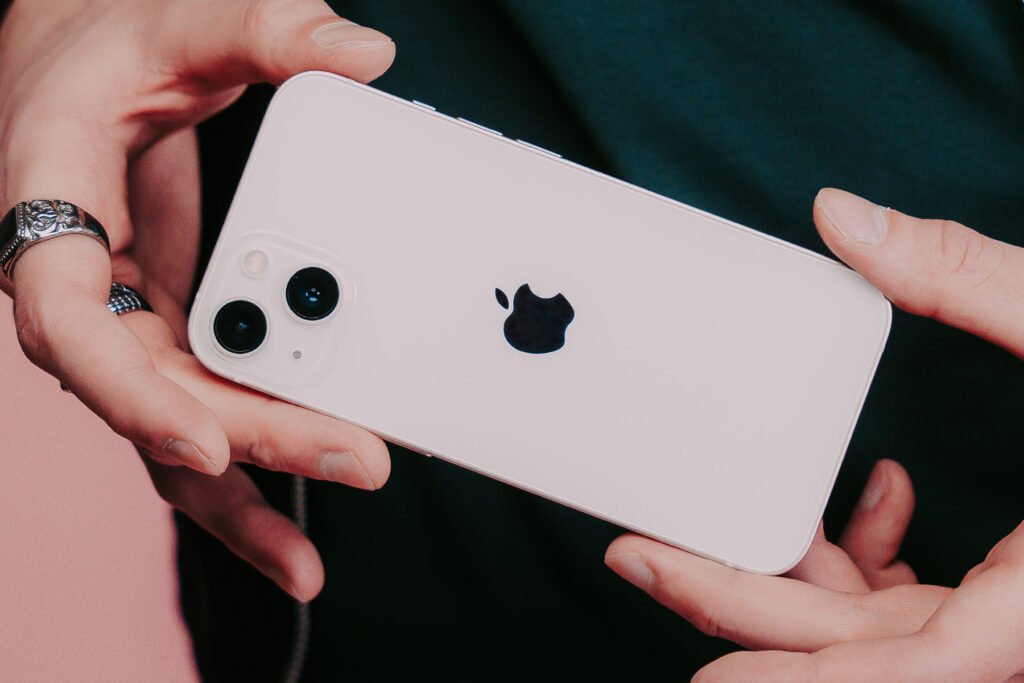

The iPhone continues to evolve each year, and in 2026, Apple has introduced even more powerful tools designed to improve productivity, security, entertainment, and everyday convenience. While most users are familiar with basic functions, many hidden iPhone features remain undiscovered. Learning these essential iPhone tips can help you unlock your device’s full potential and enjoy a smoother user experience https://theapplecollection.com/c/iphone-tips/243.
Discover Hidden iPhone Features You Might Be Missing
One of the biggest advantages of owning an iPhone is the number of hidden iPhone features built into iOS. Many users never explore beyond the default settings, which means they miss out on valuable functionality.
For example, Back Tap allows you to double-tap or triple-tap the back of your iPhone to perform actions such as taking screenshots, launching the camera, or opening favorite apps. You can enable this feature by going to Accessibility settings.
Another useful feature is Live Text. It lets you copy text directly from photos, translate signs instantly, and even make phone calls from numbers found in images.
Focus Modes have also become smarter in 2026. Users can create custom profiles for work, personal life, fitness, or travel, ensuring fewer distractions throughout the day.
Are There Hidden iPhone Battery Settings You Can Access?
Battery performance remains a major concern for smartphone users. Fortunately, there are several hidden iPhone battery settings you can access to maximize battery life.
Enable Optimized Battery Charging
This feature learns your charging routine and delays charging past 80% until you need to use your device. It reduces battery aging and extends long-term battery health.
Use Low Power Mode Automatically
Instead of manually enabling Low Power Mode, you can create automation in the Shortcuts app to activate it whenever the battery drops below a specific percentage.
Review Battery Usage by App
Navigate to Settings > Battery to identify apps consuming excessive power. Limiting background activity for these apps can significantly improve battery life.
Turn Off Background App Refresh
Many applications continue updating even when not in use. Disabling Background App Refresh for non-essential apps saves power without affecting performance.
What Are Some iPhone Features Most People Don’t Know About?
Even experienced users often overlook advanced capabilities available on modern iPhones.
Scan Documents Without Additional Apps
The Notes app includes a built-in document scanner. Simply open a note, tap the camera icon, and scan receipts, contracts, or handwritten notes instantly.
Use Visual Look Up
Visual Look Up identifies plants, pets, landmarks, and objects directly from photos. This AI-powered feature has become increasingly accurate in 2026.
Schedule Messages
Users can now schedule messages to be sent at a later time, making communication more organized and efficient.
Customize Lock Screen Widgets
Lock Screen widgets provide instant access to weather updates, calendar appointments, fitness data, and reminders without unlocking the phone.
Is There a Way to Hide Apps on My iPhone Without Uninstalling Them?
Many users ask whether there is a way to hide apps on an iPhone without uninstalling them. The answer is yes.
You can remove apps from the Home Screen while keeping them installed in the App Library. Simply press and hold the app icon, choose “Remove App,” and select “Remove from Home Screen.”
Additionally, iOS now offers app locking and hidden folders for enhanced privacy. Sensitive applications such as banking apps, private messaging tools, or personal journals can remain hidden from casual viewers.
How Can I Find Hidden Apps on My iPhone?
Sometimes apps disappear accidentally. If you are wondering how to find hidden apps on your iPhone, several methods can help.
First, use Spotlight Search by swiping down on the Home Screen and typing the app’s name. If the app appears, you can open it immediately.
You should also check the App Library, located at the end of your Home Screen pages. Hidden or removed apps often remain accessible there.
Finally, review Screen Time restrictions, as parental controls may prevent certain apps from appearing.
Is There an Easy Way to Clear App Cache on iPhone?
Storage management is crucial for maintaining performance. Many users ask if there is an easy way to clear app cache on iPhone devices.
While iOS does not offer a universal cache-clearing button, several methods exist.
Offload Unused Apps
Go to Settings > General > iPhone Storage and enable Offload Unused Apps. This removes the app while preserving documents and data.
Reinstall Heavy Apps
Social media apps often accumulate significant cache data. Deleting and reinstalling these apps can free substantial storage space.
Clear Browser Data
Safari cache can be removed through Settings > Safari > Clear History and Website Data.
Regular storage maintenance ensures faster performance and prevents unnecessary slowdowns.
Is There a Way to Delete Multiple Apps at Once on iPhone?
Managing numerous applications becomes easier with updated iOS tools. If you are wondering whether there is a way to delete multiple apps at once on iPhone, recent versions simplify the process.
Users can access iPhone Storage settings and review applications by size. Multiple unused apps can then be quickly removed in sequence. Organizing apps regularly helps reduce clutter and improves overall device efficiency.
You can also automatically offload unused apps, reducing manual maintenance.
Can You Record Video at the Same Time From Two iPhone Cameras?
Content creators frequently ask if you can record video at the same time from two iPhone cameras. Modern iPhones support multi-camera recording through compatible applications.
Dual-camera recording allows users to capture footage from front and rear cameras simultaneously. This feature is especially valuable for vloggers, interviewers, educators, and social media creators.
Several professional video apps offer advanced multi-camera capabilities, enabling picture-in-picture recordings and synchronized editing workflows.
Which Apps Work With Apple CarPlay?
Apple CarPlay continues to expand in 2026. Users often ask which apps work with Apple CarPlay to enhance driving experiences.
Popular categories include:
Navigation Apps
Apple Maps, Google Maps, and Waze provide turn-by-turn navigation and traffic updates.
Music and Audio Apps
Spotify, Apple Music, Audible, YouTube Music, and podcasts integrate seamlessly with CarPlay.
Communication Apps
Messages, WhatsApp, and various calling apps allow hands-free communication while driving.
Using Apple CarPlay improves convenience and safety by minimizing distractions behind the wheel.
Which iPhone Apps Do You Recommend for Activity Tracking?
Health-conscious users frequently search for iPhone apps recommended for activity tracking.
The Apple Fitness ecosystem remains one of the strongest options for monitoring exercise, heart rate, and daily movement goals. Other popular activity tracking apps provide detailed workout analytics, sleep monitoring, and personalized coaching.
Combining wearable devices with these apps can deliver comprehensive insights into overall wellness and fitness progress.
Final Thoughts
Mastering these essential iPhone tips every user should know in 2026 can dramatically improve your smartphone experience. From discovering hidden iPhone features and hidden battery settings to learning how to hide apps, clear app cache, and use Apple CarPlay effectively, these techniques help you get more value from your device.
Regularly exploring new iOS updates ensures that you continue benefiting from Apple’s latest innovations while keeping your iPhone secure, organized, and highly productive.