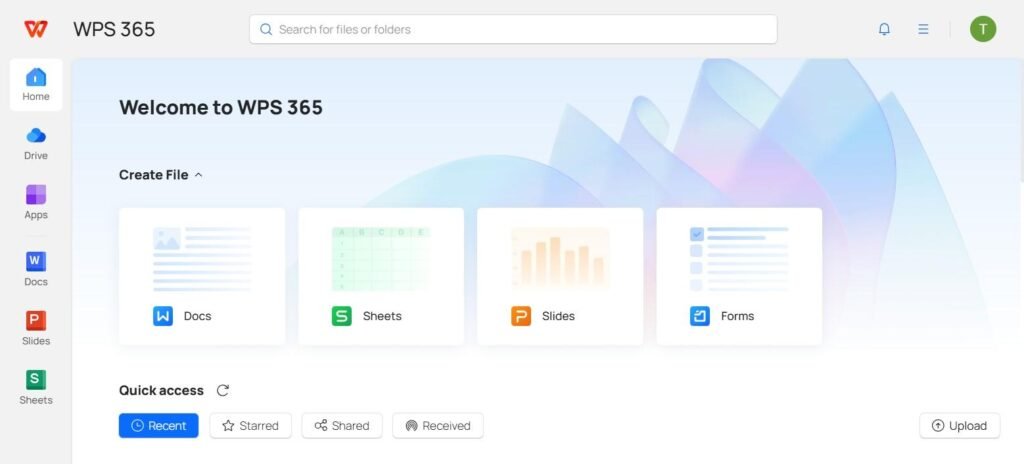

In today’s fast-paced professional environment, efficiency, organization, and flexibility are essential for success. Office workers, students, entrepreneurs, and remote teams all need tools that simplify daily tasks without adding complexity. This is where wps stands out as a powerful and user-friendly office suite designed to make office work easier. With a wide range of features covering document creation, spreadsheets, presentations, PDF management, and collaboration, wps offers a complete solution for modern productivity needs.
This article explores the key features of wps and explains how they help streamline office work, improve workflow, and boost overall efficiency.
What Is WPS and Why It Matters
Wps is an all-in-one office productivity suite that provides essential tools for handling documents, data, presentations, and PDFs. It is designed to be lightweight, fast, and compatible with popular file formats, making it a practical alternative to traditional office software.
What makes wps especially valuable is its focus on simplicity without sacrificing functionality. Whether you are drafting reports, analyzing data, designing presentations, or editing PDFs, wps ensures that tasks can be completed quickly and efficiently.
User-Friendly Interface for Faster Work
One of the strongest features of wps is its clean and intuitive interface. The layout is designed so users can easily find tools without spending time navigating complex menus.
Familiar Layout for Easy Adoption
Wps uses a familiar ribbon-style layout, which reduces the learning curve for new users. Anyone who has experience with common office tools can start working immediately without extensive training.
Customizable Workspace
Users can customize toolbars and settings to match their workflow. This personalization allows individuals to focus on the tools they use most, helping them work faster and stay organized.
Powerful Document Editing with WPS Writer
Wps Writer is the word processing tool within the suite, designed to handle everything from simple notes to professional documents.
Professional Formatting Tools
Wps Writer includes a wide range of formatting options such as styles, templates, fonts, and layout controls. These tools help users create polished documents suitable for business, academic, or personal use.
Built-In Templates for Speed
The availability of ready-made templates saves time and ensures consistency. Users can quickly create resumes, reports, letters, and proposals without starting from scratch.
Compatibility with Multiple File Formats
Wps supports popular formats such as DOC, DOCX, and others, making it easy to open, edit, and share files across different platforms without compatibility issues.
Smart Data Handling with WPS Spreadsheets
Data analysis and calculations are essential in many workplaces, and wps Spreadsheets offers robust tools to manage them efficiently.
Advanced Formulas and Functions
Wps Spreadsheets includes a wide range of formulas and functions for calculations, financial analysis, and data management. These tools help users process data accurately and quickly.
Charts and Visual Data Representation
Visualizing data is easier with built-in chart and graph tools. Users can transform raw numbers into clear visuals, making reports more understandable and presentations more impactful.
Large Data Support
The software can handle large datasets without slowing down, which is especially useful for finance teams, analysts, and managers dealing with complex information.
Creating Impactful Slides with WPS Presentation
Presentations are a key part of communication in offices, and wps Presentation simplifies the process of creating engaging slides.
Ready-Made Themes and Designs
Wps offers a wide selection of themes and slide designs that help users create professional presentations quickly. These designs ensure visual consistency and save design time.
Easy Animation and Transition Tools
Animations and transitions can be added with just a few clicks, allowing users to enhance presentations without advanced design skills.
Presenter-Friendly Features
Tools like speaker notes and slide previews help presenters stay organized and confident during meetings or conferences.
PDF Management Made Simple
Handling PDFs is a common challenge in office work, and wps provides powerful PDF tools within the same platform.
Edit and Annotate PDFs
Users can easily edit text, add comments, highlight content, and insert images into PDF files. This eliminates the need for separate PDF software.
Convert PDFs to Editable Formats
Wps allows quick conversion of PDFs into Word, Excel, or other formats, making it easy to reuse and update content.
Secure PDF Handling
Password protection and permission settings help keep sensitive documents secure, which is essential for professional environments.
Cloud Integration and File Accessibility
Modern work often happens across multiple devices, and wps ensures seamless access to files anytime, anywhere.
Cloud Storage for Easy Access
With cloud integration, users can save documents online and access them from different devices. This is especially helpful for remote work and travel.
Automatic Sync and Backup
Automatic syncing ensures that the latest version of a file is always available, reducing the risk of data loss and version confusion.
Real-Time Collaboration for Teamwork
Collaboration is essential in today’s workplaces, and wps includes features that support team productivity.
Shared Document Editing
Multiple users can work on the same document at the same time, making teamwork faster and more efficient.
Commenting and Feedback Tools
Built-in commenting features allow team members to leave feedback, suggestions, and notes directly within documents.
Lightweight Performance and Cross-Platform Support
Unlike heavy office software, wps is designed to run smoothly even on low-spec devices.
Fast Installation and Startup
Wps installs quickly and launches fast, saving time and system resources.
Works Across Devices
The software is available on Windows, macOS, Linux, Android, and iOS, ensuring a consistent experience across platforms.
Cost-Effective Solution for Everyone
One of the biggest advantages of wps is its affordability. Many features are available for free, making it accessible to individuals, students, and small businesses.
Ideal for Budget-Conscious Users
Wps delivers professional-grade tools without high subscription costs, offering excellent value for money.
Conclusion
Exploring wps reveals a feature-rich office suite designed to make office work easier, faster, and more organized. From document creation and data analysis to presentations, PDF management, and real-time collaboration, wps covers all essential productivity needs in one lightweight package.
Its user-friendly interface, powerful tools, cloud integration, and cross-platform support make it an excellent choice for modern professionals. Whether you work in an office, study remotely, or manage a business, wps provides the flexibility and efficiency needed to stay productive in today’s digital workspace.